
About the Color Tools
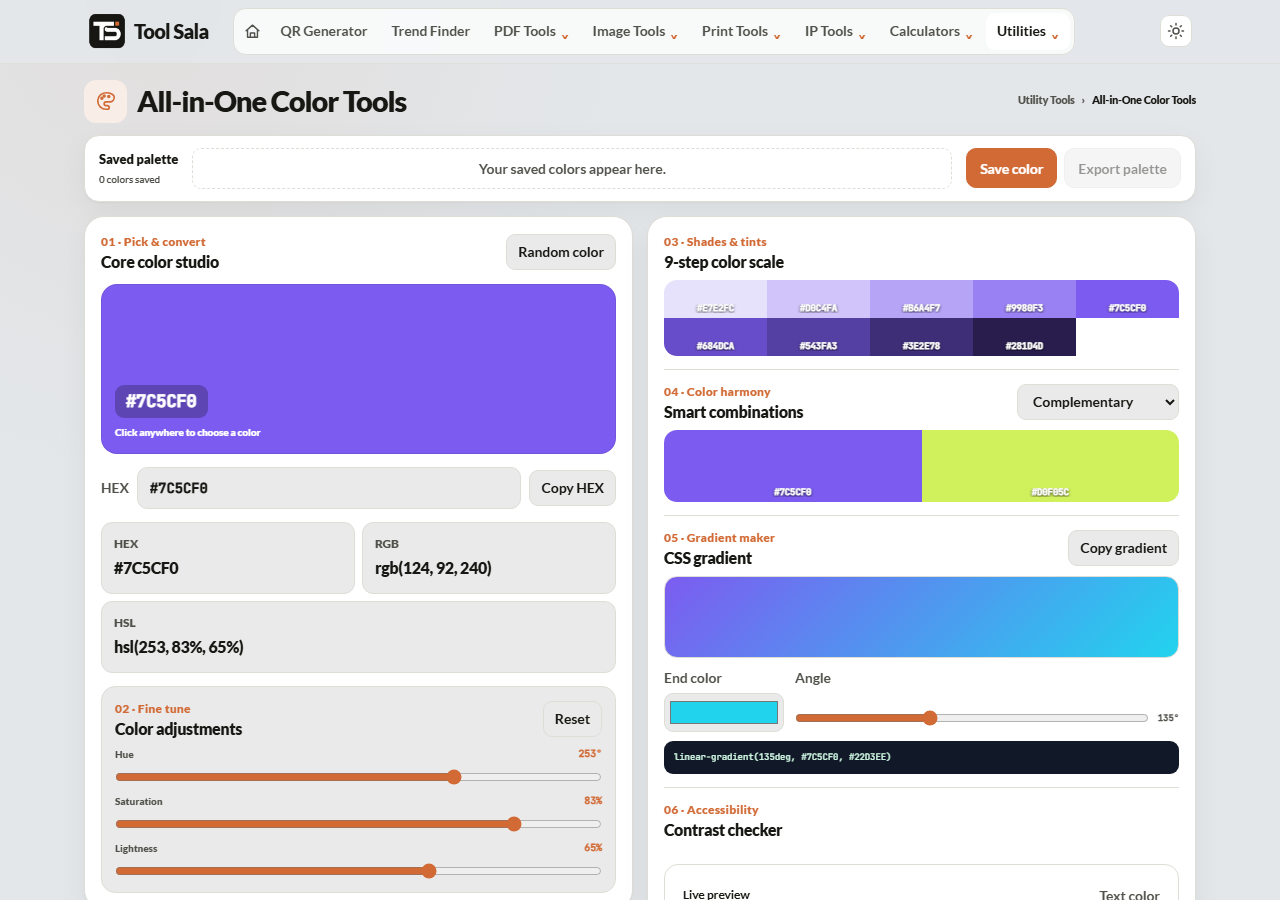
These free color tools give you a picker, instant HEX, RGB and HSL values, matching colour harmonies, a gradient builder and a saved palette you can export. Everything runs in your browser.
The usual problem is not finding one colour you like — it is finding three or four that work together. That is what the harmony modes are for.
How to use it
- Pick a colour, or click Random color to explore.
- Fine-tune with the hue, saturation and lightness sliders.
- Copy the value you need — HEX, RGB or HSL.
- Choose a harmony mode to see colours that go with it.
- Save color to build a palette, then Export palette.
HEX, RGB or HSL?
- HEX —
#7C5CF0. What you paste into CSS, design tools and most brand documents. - RGB —
rgb(124, 92, 240). Same colour by red, green and blue amounts. Needed when you want transparency via rgba(). - HSL —
hsl(253, 83%, 65%). Hue, saturation and lightness. The most useful of the three for adjusting a colour: drop the lightness and you get a darker shade of the same colour, which is how you build hover states and shades that still look related.
The three harmony modes
- Complementary — the colour directly opposite on the wheel. Maximum contrast, so it is perfect for a call-to-action button against your brand colour, and risky for large areas.
- Analogous — neighbours on the wheel. Calm and cohesive, the safe choice for backgrounds and section shading.
- Triadic — three colours evenly spaced. Vibrant and balanced, good when you need several distinct categories to be visually separate.
Gradients
Set two colours and a gradient angle from 0 to 360 degrees, then copy the CSS. Gradients between neighbouring hues look smooth; gradients between opposites often pass through a muddy grey in the middle. If a gradient looks dirty, move the two colours closer together on the wheel.
Color Tools FAQs
Are these color tools free?
Yes. No signup and no limit.
Is anything uploaded to a server?
No. Everything runs in your browser.
Which format should I use in CSS?
HEX for simple solid colours, RGB when you need transparency, HSL when you plan to generate lighter and darker variations of the same colour.
What does complementary mean?
The colour opposite yours on the wheel. It creates the strongest contrast, which is why it works well for buttons and badly for big background blocks.
Can I export my palette?
Yes. Save the colours you like, then use Export palette.
How do I check a colour is readable?
Text needs real contrast against its background. Mid-tone text on a mid-tone background fails for many readers, so keep one of the two clearly light and the other clearly dark.
Related online tools
- QR Code Generator — use your brand colours on a QR code.
- Photo Editor — adjust the colours in a photo.
- Invoice Generator — brand your invoices.
- All utility tools — the full list.