
About the Passport Photo Maker
This free passport photo maker turns an ordinary portrait into a correctly sized official photo, and builds a print sheet with as many copies as you need. It handles India passport 35 × 45 mm, US passport 2 × 2 inch and 50 × 50 mm visa sizes. Everything runs in your browser — your photo is never uploaded.
A studio charges a few hundred rupees for a set of eight. With a plain-background photo from any phone, this does the same job for the cost of the printing.
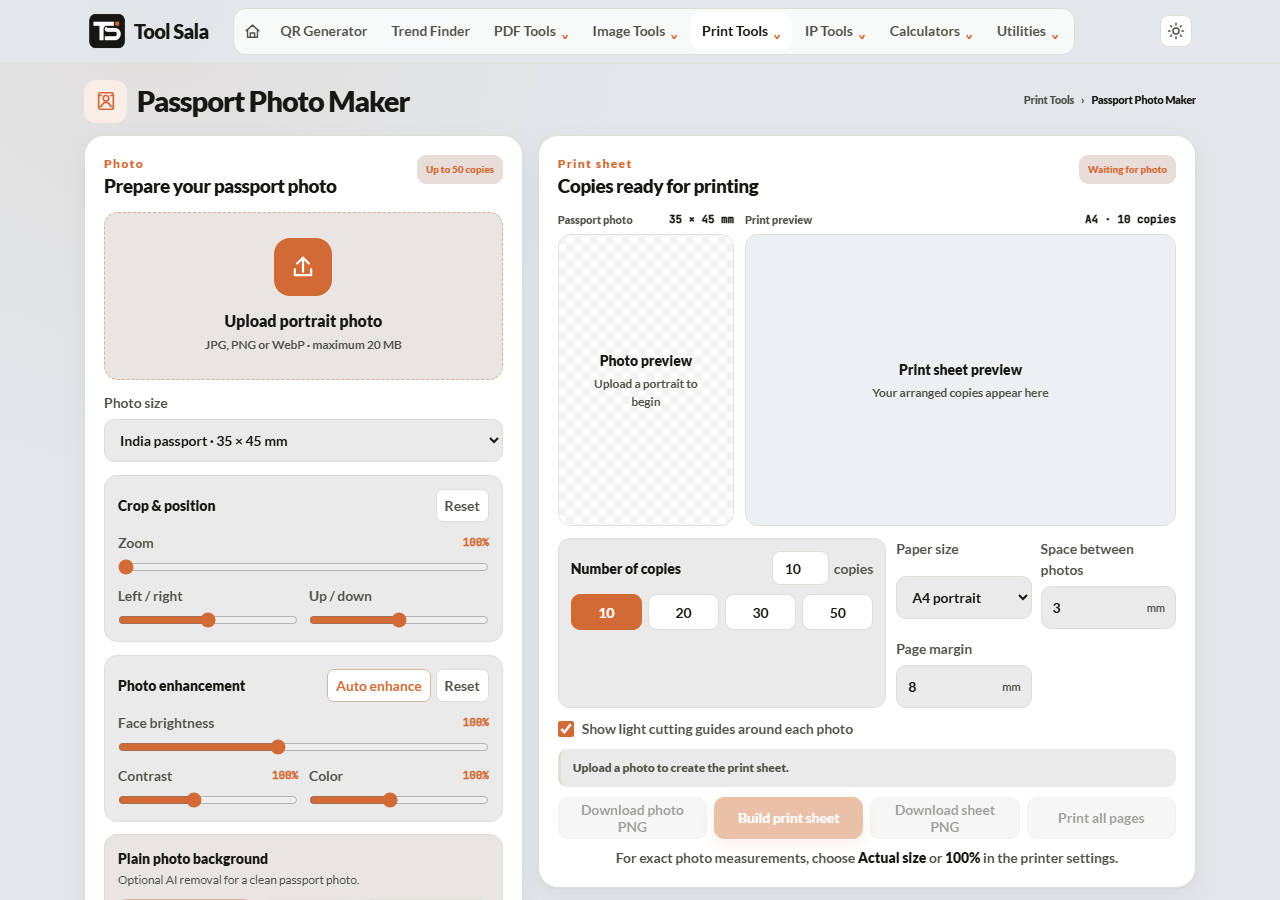
How to make a passport photo
- Upload a portrait — JPG, PNG or WebP, up to 20 MB.
- Choose the size: India passport 35 × 45 mm, US passport 2 × 2 inch, Visa/ID 50 × 50 mm, or custom.
- Position the face with Zoom, Left / right and Up / down.
- Use Auto enhance, or adjust face brightness, contrast and saturation yourself.
- Click Remove background if the original is busy.
- Pick the number of copies — 10, 20, 30 or 50 — and the paper: A4 portrait, 4 × 6 inch photo paper or US Letter.
- Click Build print sheet, then Download sheet PNG or Print all pages.
Getting the framing right
This is where most rejections come from. Official rules are strict about how much of the frame the head occupies:
- Face should fill roughly 70–80% of the photo height, from chin to the top of the head.
- Centre the head with a small, even gap above it.
- Look straight at the camera, neutral expression, mouth closed, both ears visible where possible.
- Eyes open and clearly visible — no hair across them, no tinted glasses, no glare on lenses.
- Plain light background, white or light grey, with no shadow behind the head.
Use the zoom and position sliders until the head sits in that proportion. Too much space above the head is the most common mistake.
Taking the source photo
- Stand about a metre from a plain wall so no shadow falls on it.
- Face a window — daylight from the front is the most even light there is.
- Have someone else take it from eye level. A selfie at arm’s length distorts the face.
- No hats or headphones. Head coverings worn for religious reasons are allowed, but the face must be clear.
- Shoot at the highest resolution your phone offers.
Passport Photo FAQs
Is this passport photo maker free?
Yes. No signup, no watermark on the photo, and no limit.
Is my photo uploaded to a server?
No. All processing happens inside your browser on your own device.
What is the correct size for an Indian passport photo?
35 × 45 mm, which is the India passport option.
How many photos fit on one sheet?
Choose 10, 20, 30 or 50 copies and pick A4, 4 × 6 inch photo paper or US Letter.
Will my photo be accepted officially?
The dimensions will be correct, but acceptance also depends on framing, expression, lighting and background. Follow the framing rules above, and check the requirements published by the specific authority before printing a full sheet.
Can I change the background to white?
Yes. Use Remove background and the subject is placed on a plain background.
Where should I print it?
A photo shop on 4 × 6 inch glossy paper gives the best result. Set the printer to Actual size — never “Fit to page”.
Related online tools
- Background Remover — clean up the background separately.
- Photo Editor — crop and adjust before making the sheet.
- All-in-One Card Printer — print ID cards for the same application.
- Age Calculator — exact age for the form.
- All print tools — the full list.