
About the SEO Content Analyzer
This free SEO content analyzer checks a piece of writing before you publish it — heading structure, word count, keyword density, readability and link usage. Write or paste your text, format it with the built-in editor, and read the analysis as you go.
It is aimed at the content itself, not at your server. No crawling, no site audit — just the words, and whether they are structured the way a search engine expects.
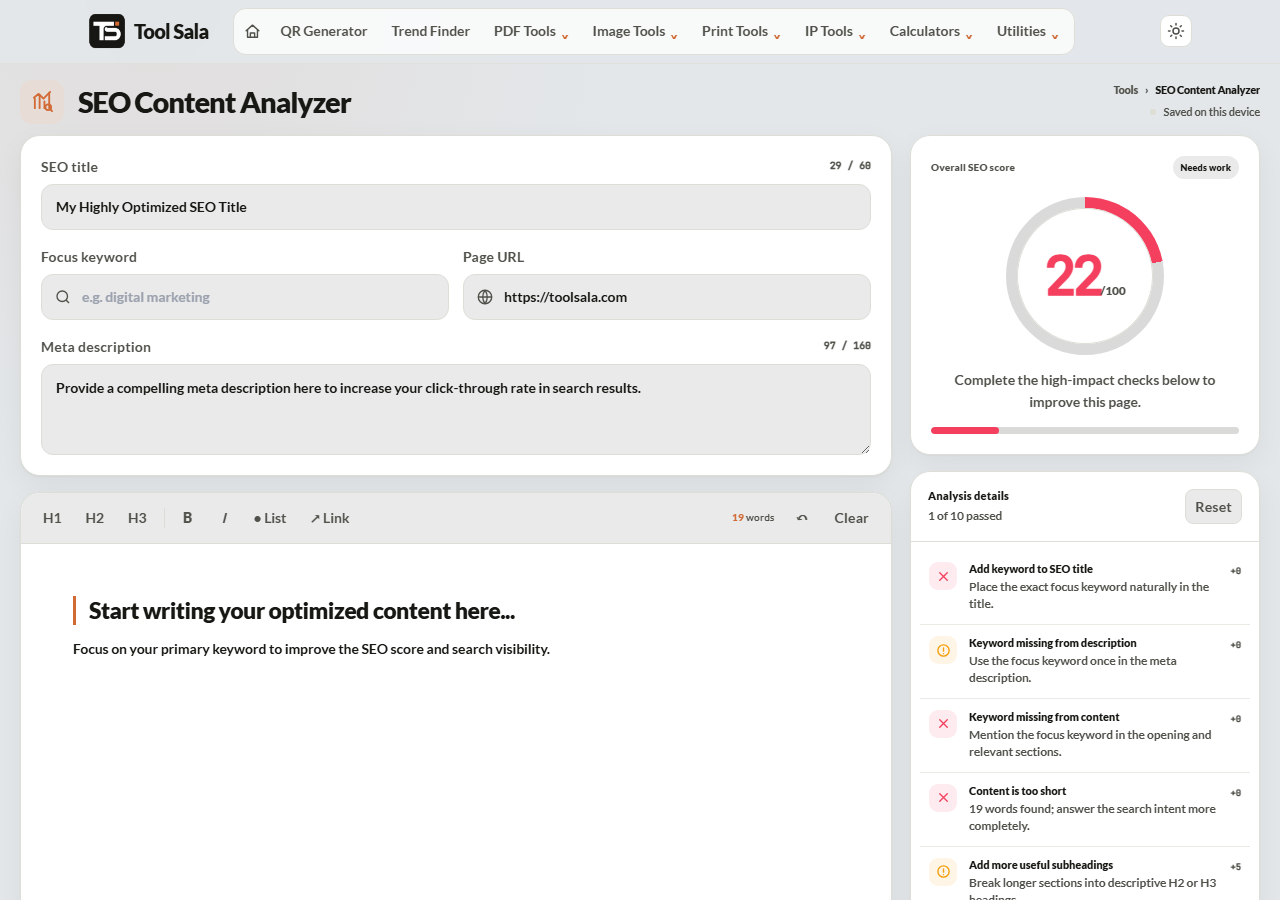
How to use it
- Paste or type your content into the editor.
- Use the toolbar to mark up structure — H1, H2, H3, bold, italic, lists and links.
- Read the analysis panel as you edit.
- Switch between Desktop and Mobile to see how it reads on each.
- Reset clears everything, and the undo button steps back.
Heading structure
This is where most pages go wrong, and it is the easiest thing to fix:
- One H1 per page. It is the page’s title. Two H1s tell a search engine the page is about two different things.
- H2 for main sections. These are the scannable signposts a reader uses.
- H3 for subsections under an H2 — and for questions, if you want them eligible for FAQ markup.
- Do not skip levels. H1 then H3 with no H2 breaks the outline.
Keyword density, honestly
Aim for your main phrase to appear naturally around 1% to 1.5% of total words. On a 1,000-word article, that is ten to fifteen mentions.
Above about 3%, you are stuffing, and it reads badly to humans long before it becomes a problem for Google. Put the phrase where it genuinely counts — the first paragraph, one or two subheadings, and wherever it naturally belongs — and stop worrying about the number.
Length and readability
- Under 300 words — usually too thin to rank for anything competitive.
- 600 to 1,200 words — a solid range for most informational pages.
- Short paragraphs. Two to four sentences. Walls of text lose mobile readers immediately.
- Short sentences. If one runs past about 25 words, it probably wants to be two.
Length alone ranks nothing. A focused 600 words beats a padded 2,000 every time.
SEO Content Analyzer FAQs
Is this analyzer free?
Yes. No signup, and no limit on how much text you analyse.
Is my content uploaded anywhere?
No. The analysis runs in your browser, so unpublished drafts stay private.
How many H1 tags should a page have?
Exactly one. More than one confuses the page’s topic.
What keyword density should I aim for?
Roughly 1% to 1.5%. Anything above 3% reads as stuffed.
How long should an article be?
Long enough to answer the question properly — usually 600 to 1,200 words. Padding to hit a number does not help.
Does it check my live website?
No. It analyses the text you paste in. For a live page, capture it with the website screenshot tool or check its records with Domain Lookup.
Related online tools
- Convert Case — fix capitalisation in headings.
- Document Writer — write and export a formatted document.
- Trend Finder — see what people are searching for now.
- Domain Lookup — technical records for any domain.
- All online tools — the full list.