
About the Hash Generator
This free hash generator produces a checksum for text or a file — SHA-256, SHA-384, SHA-512, HMAC, MD5, SHA-1, CRC32 or FNV-1a. Everything is computed in your browser, so the text you paste and the file you pick never leave your device.
A hash is a fixed-length fingerprint. Change one character of the input and the entire output changes. That is what makes it useful for checking whether a file arrived intact or whether two pieces of text are identical.
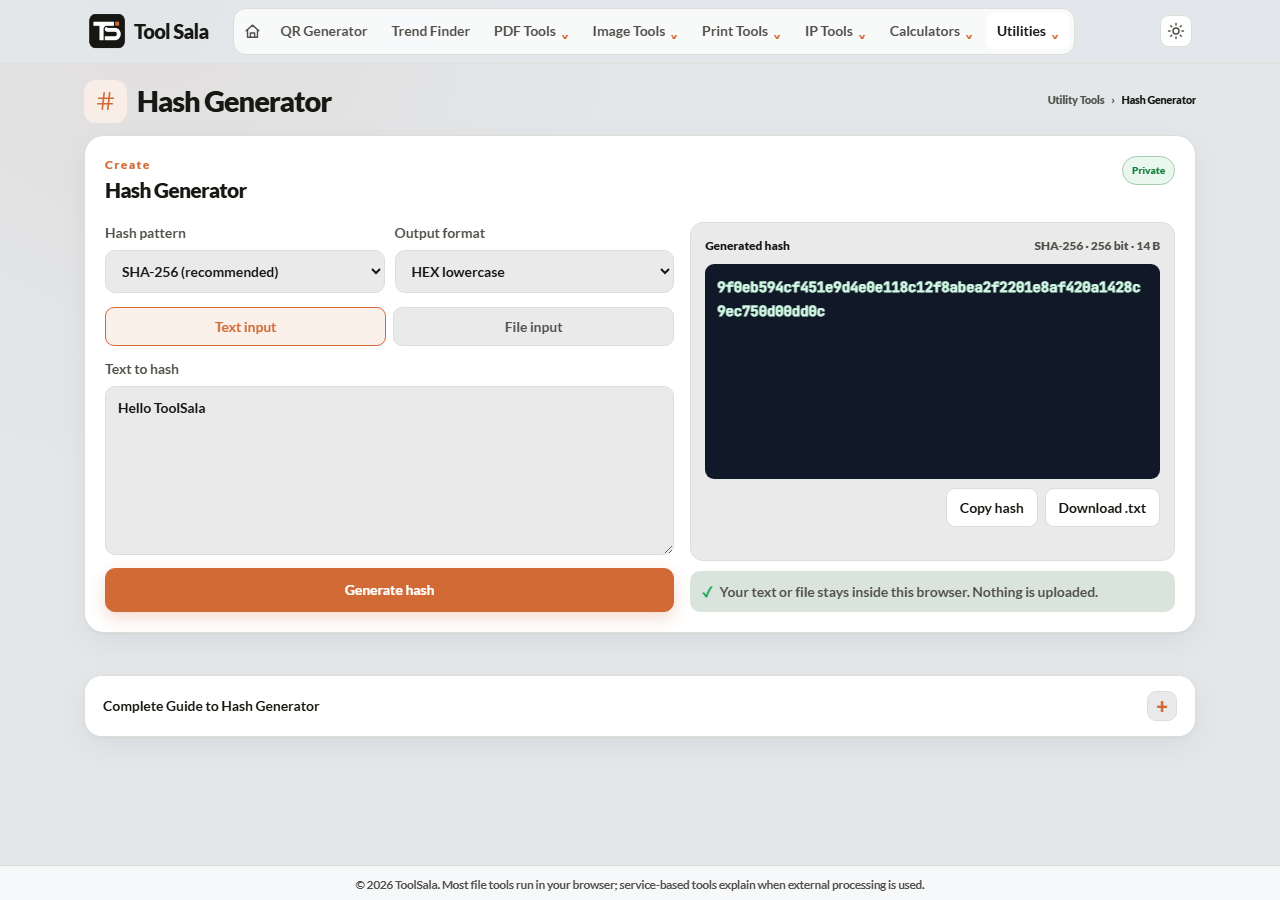
How to generate a hash
- Choose Text input to hash something you type, or File input to hash a file.
- Pick the algorithm — SHA-256 is the recommended default.
- Choose the output format: HEX lowercase, HEX uppercase or Base64.
- Click Generate hash, then Copy hash or Download .txt.
Which algorithm should you use?
- SHA-256 — the modern standard. Use this unless something specifically requires another.
- SHA-384 and SHA-512 — longer outputs, used where policy demands a bigger hash.
- HMAC-SHA-256 and HMAC-SHA-512 — keyed hashes. Used to verify that a message came from someone who holds the shared secret, common in API signatures and webhooks.
- MD5 and SHA-1 — legacy only. Both are cryptographically broken and must not be used for security. They are still fine for a quick file-integrity check when a download page publishes an MD5.
- CRC32 and FNV-1a — fast non-cryptographic checksums for detecting accidental corruption, not tampering.
Verifying a download
Many projects publish a SHA-256 next to their download link. Hash the file you received, compare it with the published value, and if a single character differs the file is not the one they released — it is either corrupted or has been tampered with. Compare the whole string, not just the first few characters.
Hash Generator FAQs
Is this hash generator free?
Yes. No signup, and no limit on how many hashes you generate.
Is my text or file uploaded?
No. Hashing happens in your browser on your own device, so it is safe for sensitive text and private files.
Can a hash be reversed?
No. Hashing is one-way by design. Short, common inputs can be looked up in precomputed tables, which is exactly why passwords need salting and a purpose-built algorithm.
Why are MD5 and SHA-1 marked legacy?
Practical collision attacks exist for both — two different inputs can be made to produce the same hash. They are unsuitable for security, though still usable for basic corruption checks.
What is HMAC for?
HMAC combines your data with a secret key, so the result proves the sender knew the key. It is the standard way to sign API requests and webhooks.
Why does HEX or Base64 matter?
They are two ways of writing the same hash. Whatever you are comparing against decides which one you need — Base64 is shorter, HEX is more common.
Related online tools
- Password Generator — strong random passwords.
- Image to Base64 — encode an image as text.
- IP Tools — check IPs, connections and addresses.
- All utility tools — the full list.