
About the Convert Case tool
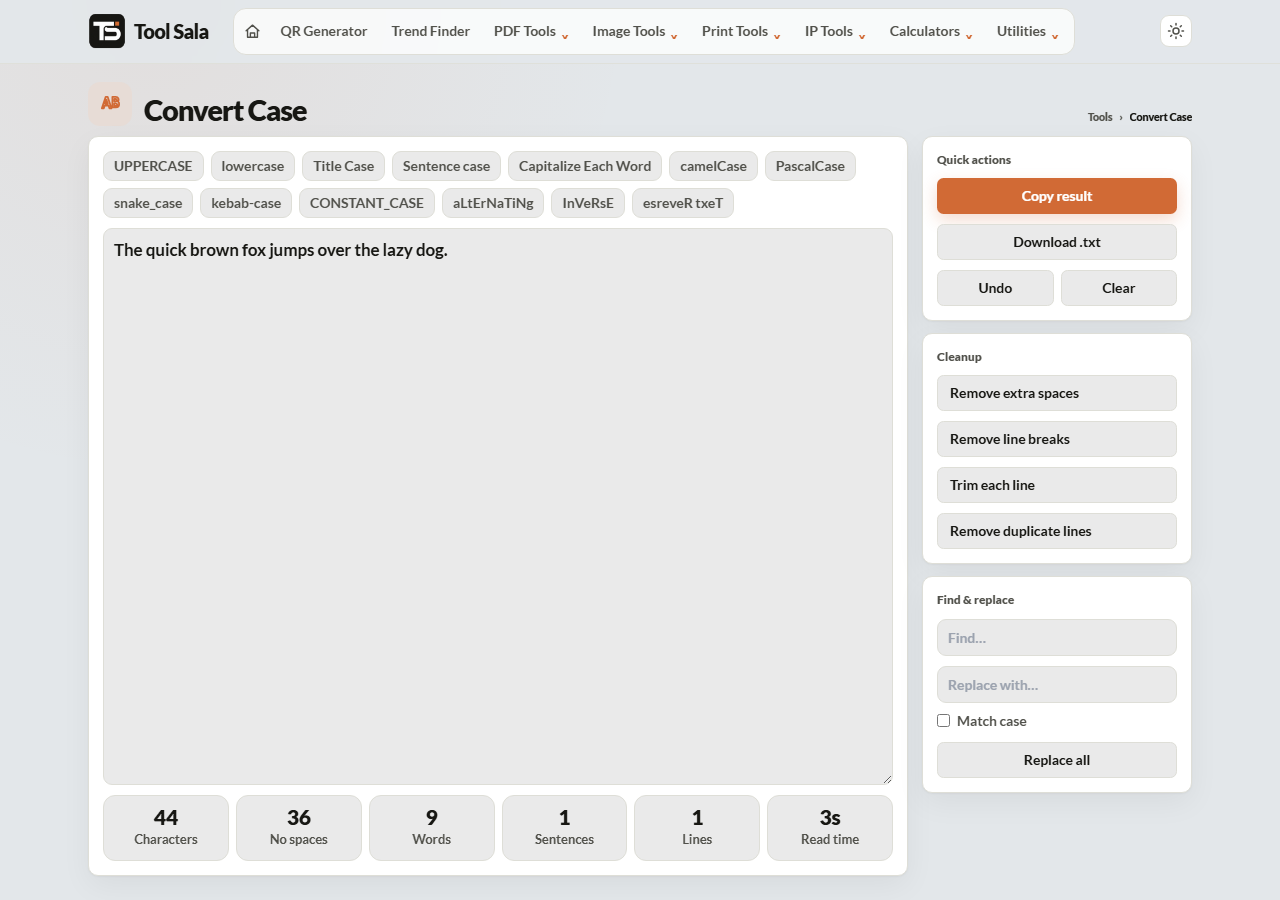
This free convert case tool rewrites text into any capitalisation you need — from plain UPPERCASE and Title Case through to the naming styles programmers use, like camelCase and snake_case. Paste the text, click a button, copy the result. Nothing is uploaded.
It saves the two jobs nobody wants to do by hand: fixing a paragraph typed with Caps Lock on, and renaming a list of variables into a different convention.
How to use it
- Paste or type your text into the box.
- Click the case you want.
- Click Copy result, or Download .txt for a long piece of text.
- Undo steps back if you pick the wrong one.
Everyday cases
- UPPERCASE — everything capital. For headings and form fields that demand it.
- lowercase — everything small. Useful for email addresses and URLs.
- Sentence case — capitalises the first letter of each sentence. This is the one that rescues a Caps Lock accident.
- Title Case — capitalises main words but leaves small words like “and” or “of” alone, the way headlines are written.
- Capitalize Each Word — capitalises every word without exception. Right for names and addresses.
Title Case and Capitalize Each Word get confused constantly. For a blog heading use Title Case; for a person’s name use Capitalize Each Word.
Programming cases
- camelCase —
userFirstName. JavaScript variables and functions. - PascalCase —
UserFirstName. Class names in most languages. - snake_case —
user_first_name. Python variables, database columns. - kebab-case —
user-first-name. URLs, CSS classes, file names. - CONSTANT_CASE —
MAX_UPLOAD_SIZE. Constants and environment variables.
For SEO-friendly page URLs, kebab-case is the one you want — search engines read hyphens as word separators, and underscores less reliably.
The fun ones
aLtErNaTiNg flips case letter by letter, InVeRsE swaps every letter’s case, and esreveR txeT reverses the characters. Handy for memes and for testing how a field handles odd input.
Convert Case FAQs
Is this convert case tool free?
Yes. No signup, and no limit on how much text you convert.
Is my text uploaded to a server?
No. Everything happens in your browser, so it is safe for confidential text.
How much text can I paste?
Very long passages are fine. The work is done by your own device, so the only real limit is its memory.
What is the difference between Title Case and Capitalize Each Word?
Title Case leaves small words like “a”, “and” and “of” in lowercase, following headline style. Capitalize Each Word capitalises everything.
Which case should I use for URLs?
kebab-case — lowercase words separated by hyphens. It is the standard for web addresses and the friendliest for search engines.
Can I undo a conversion?
Yes, the Undo button steps back through your changes.
Related online tools
- SEO Content Analyzer — check headings and keywords in your text.
- Hash Generator — hash text or files.
- Document Writer — write and print a formatted document.
- All online tools — the full list.